01 / MAKE A PLAN
See the whole session.
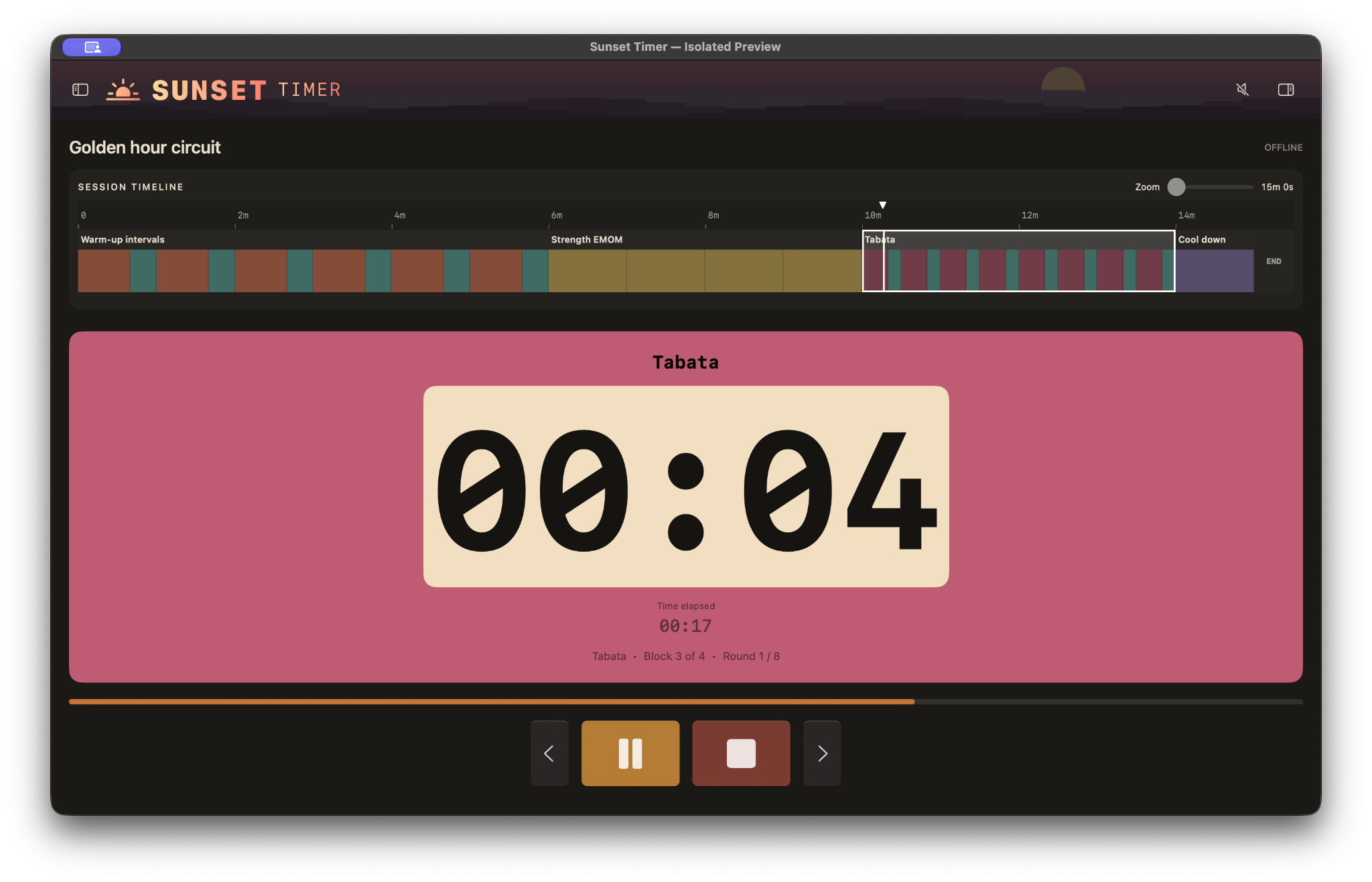
Combine different workout sections on a visual timeline. Name and rearrange sections, adjust durations and rounds with sliders or precise values, and zoom in on the details.
INTRODUCING SUNSET TIMER
A focused workout timer with the warm Sunset look. Set up your session, find your rhythm, and give the next interval your attention.
All three platforms are planned. Release is still pending; Sunset Timer is not yet available on the App Store.
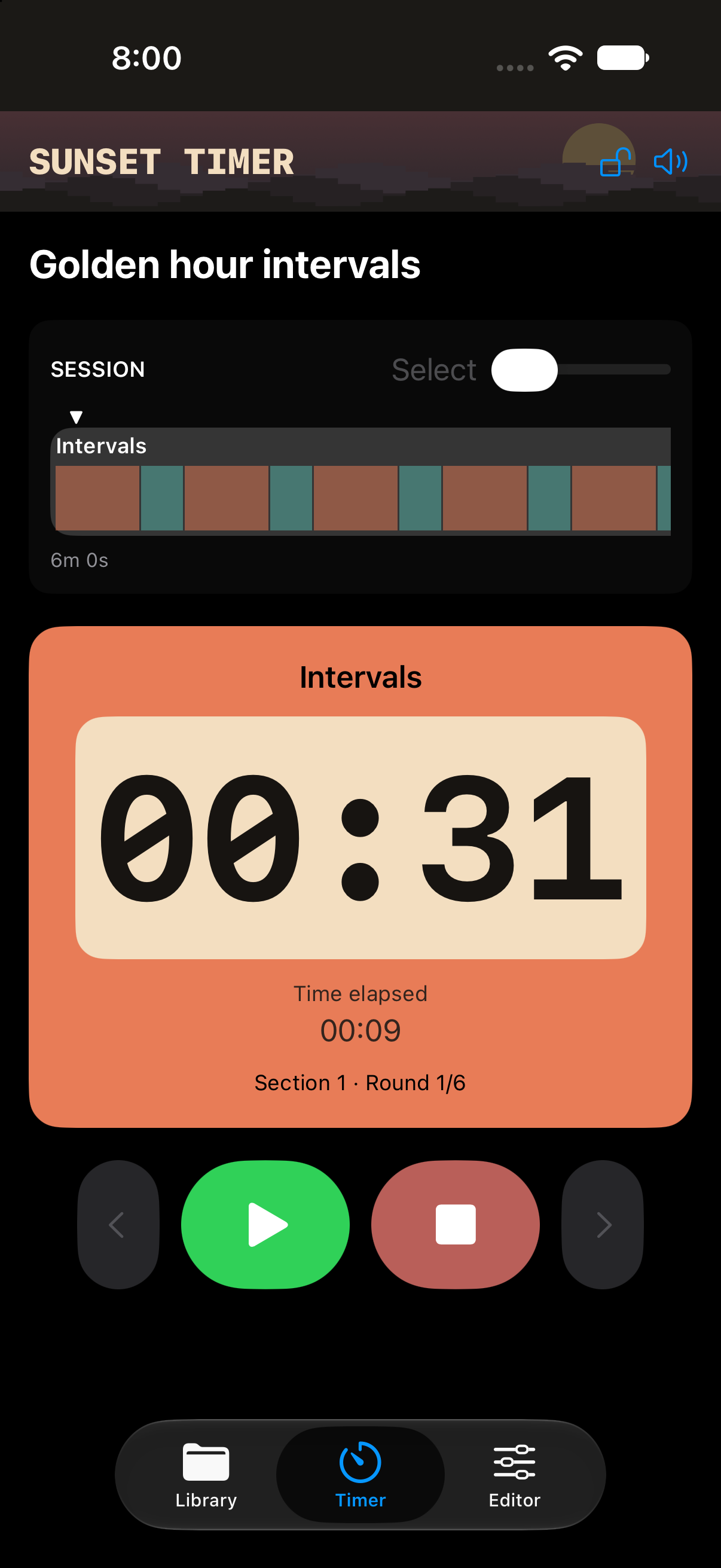
A CLOSER LOOK / MAC DEVELOPMENT PREVIEW
From the first interval to the cool down, give each part its own colour. These are genuine captures of Sunset Timer on Mac, with the preview label retained. The app is still in development; the interface may change.
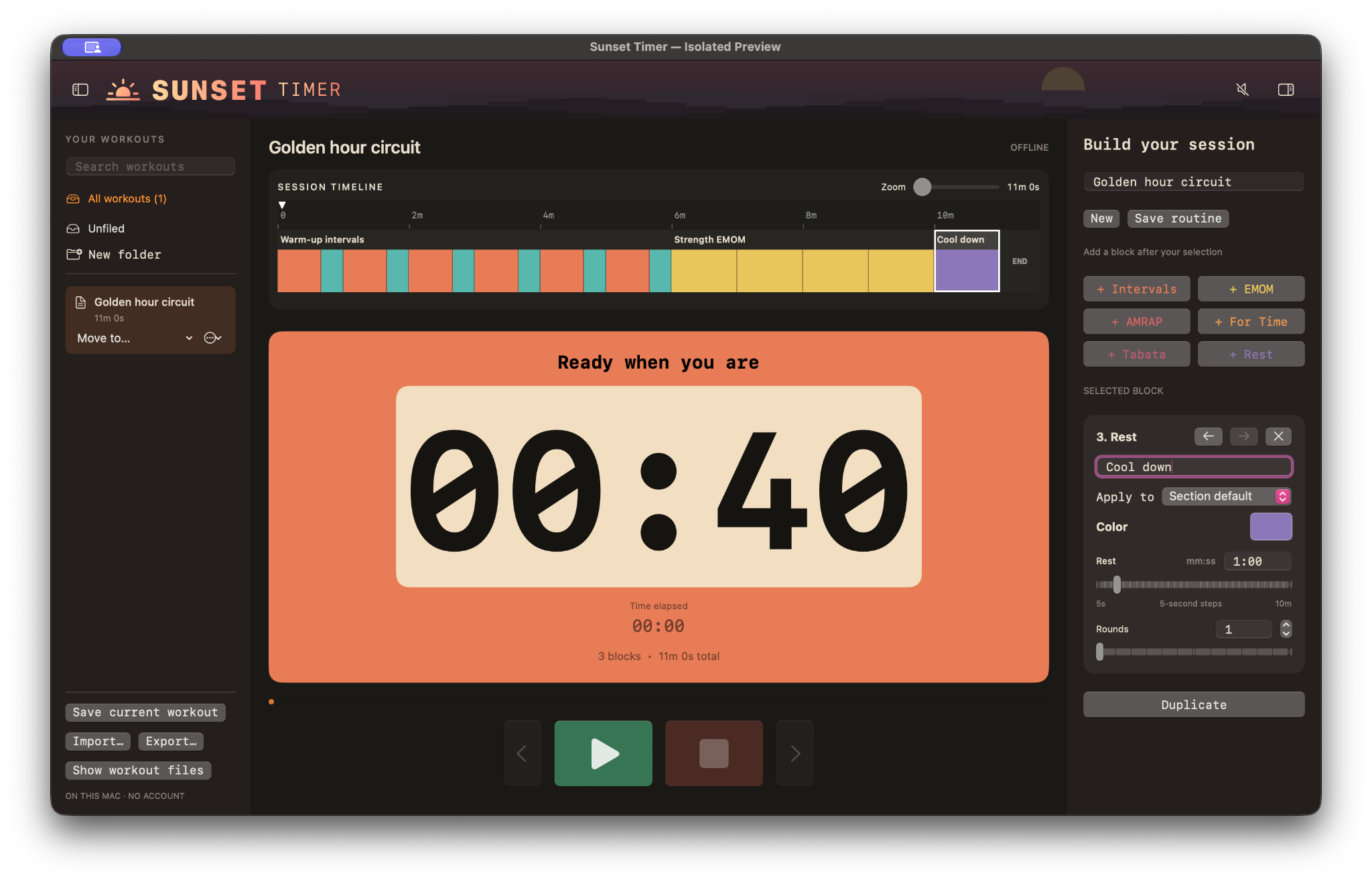
Genuine Mac development capture · View full size ↗
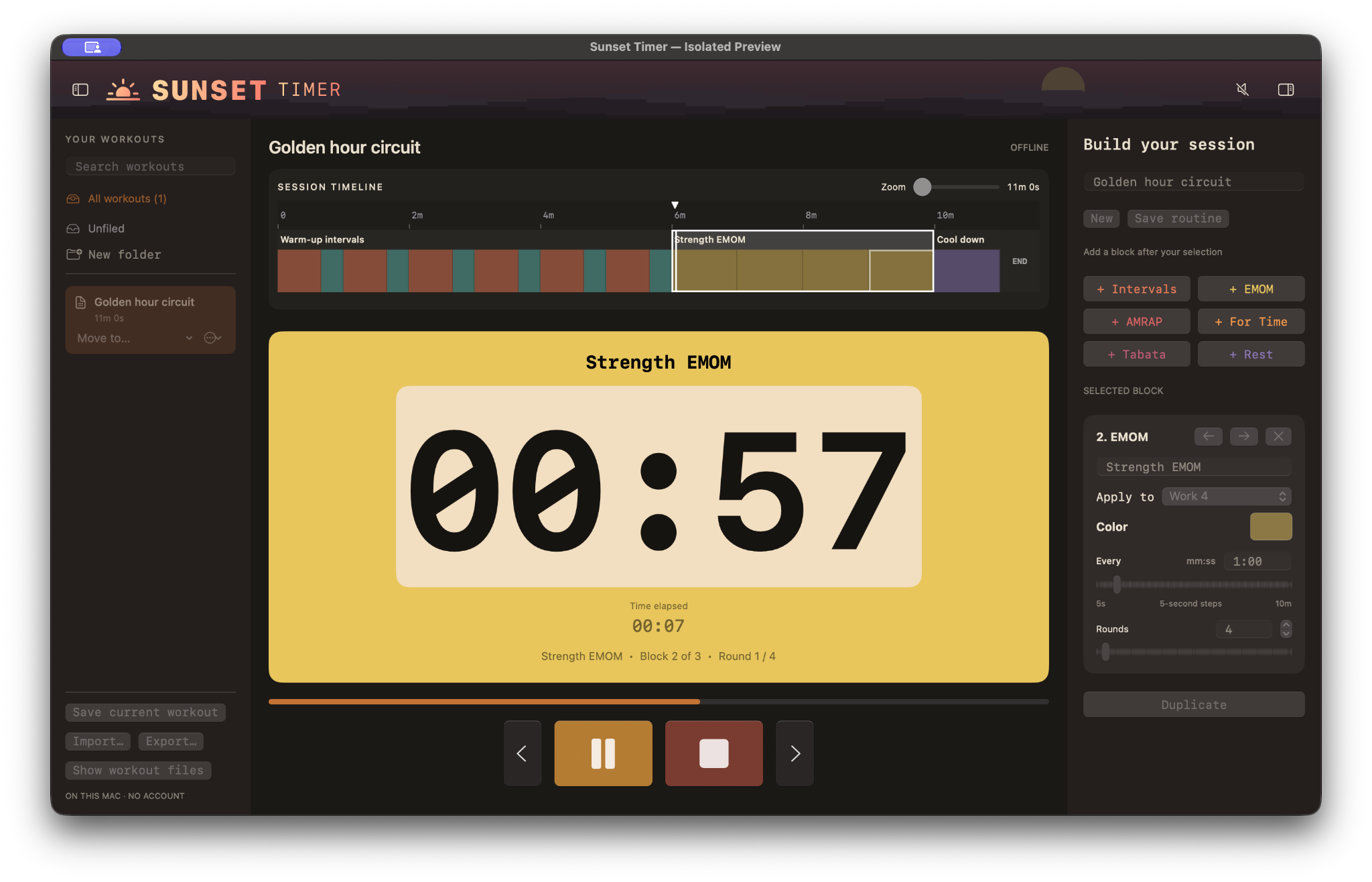
Genuine Mac development capture · View full size ↗
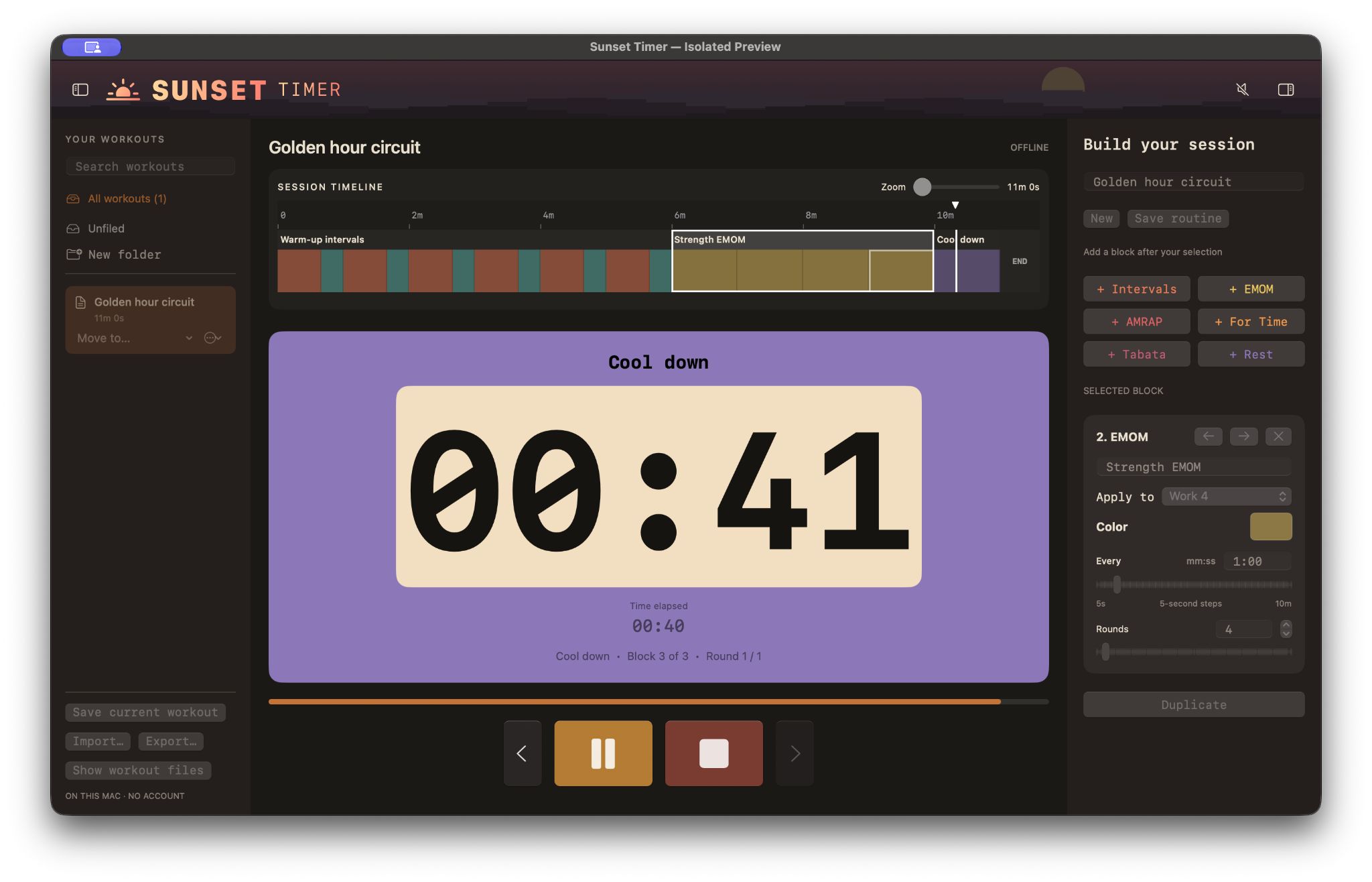
Genuine Mac development capture · View full size ↗
Genuine Mac development capture · View full size ↗
BUILD · TRAIN · REPEAT
01 / MAKE A PLAN
Combine different workout sections on a visual timeline. Name and rearrange sections, adjust durations and rounds with sliders or precise values, and zoom in on the details.
02 / FIND YOUR FOCUS
Follow a large timer, elapsed time and round or section labels. Play, pause or stop your session, with individual interval colours to make the plan your own.
03 / COME BACK READY
Save routines locally, organise them into folders and duplicate a session to adapt it. Import and export JSON workout files. No account required; no cloud sync.
SOUND THAT SUITS YOUR SESSION
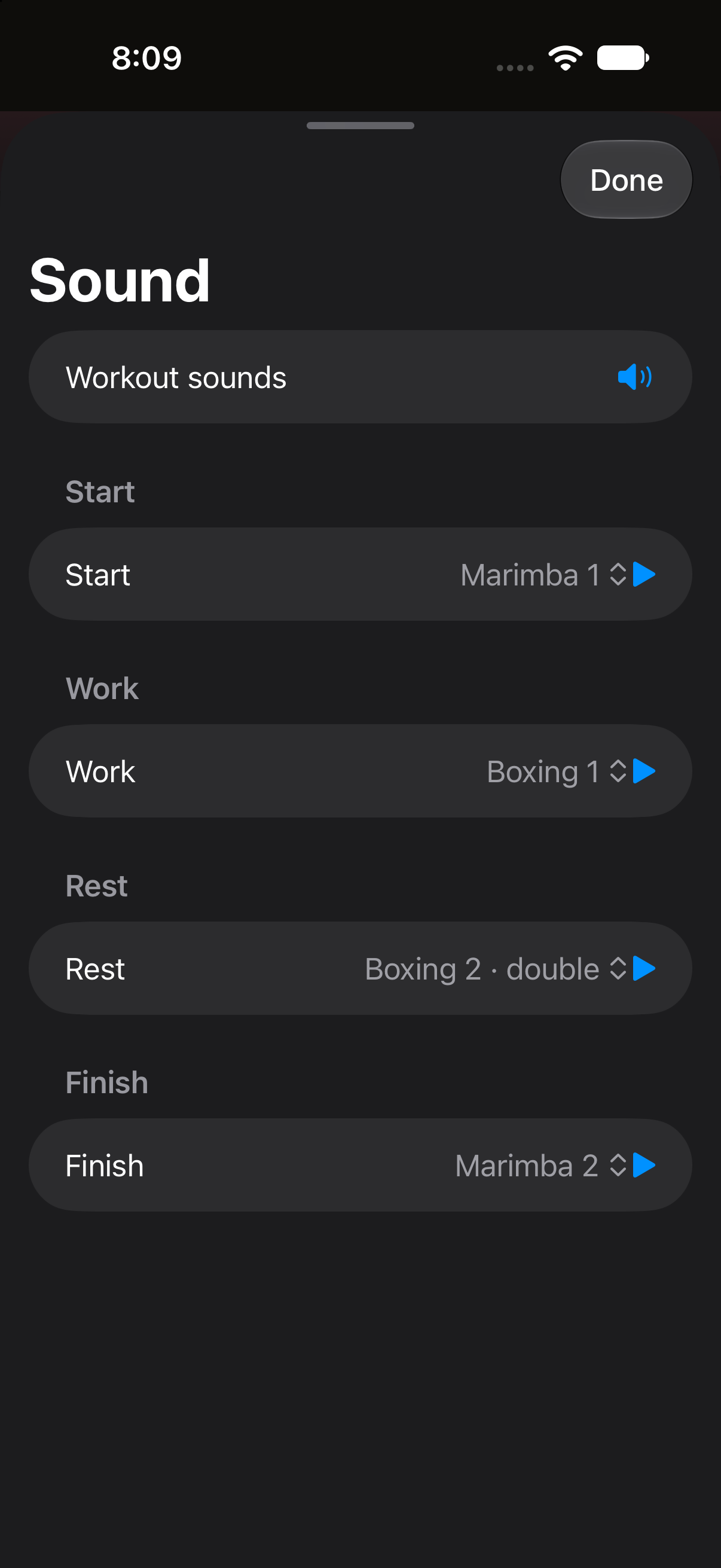
Choose separate sounds for Start, Work, Rest and Finish. Preview the cues, select from sounds such as beeps, a gong, boxing bells and marimba, or mute them altogether.
Keep the session clear and personal, from the colours on screen to the sound of your next interval.
THREE PLATFORMS. ONE SUNSET FAMILY.
Sunset Timer is being prepared for iPhone, iPad and Mac. Pick the screen that suits your space once the app is released.
It joins Sunset Rider and Sunset Workout Studio as a separate app, with its own focus: your workout timer.
RELEASE PENDING
Sunset Timer is not yet publicly available. Testing and release preparations are underway; there is no announced release date.
Any TestFlight beta is separate from an App Store release. Platform availability and device requirements will be confirmed with the release.
Ask Jeff about Timer